
myQ Community Invitation or First Login Not Working
Check the invitation, email address and property-issued license when you cannot sign in to myQ Community or accept a building invitation.
Show me the steps
Symptoms
- Cannot accept building invitation
- Community sign-in fails
Applies to
- App
- myQ Community only; separate from consumer myQ
Before you start
- Resident authorization from facility manager
Why this can happen
- Missing license, wrong invitation email, or network restriction.
How to check and fix it
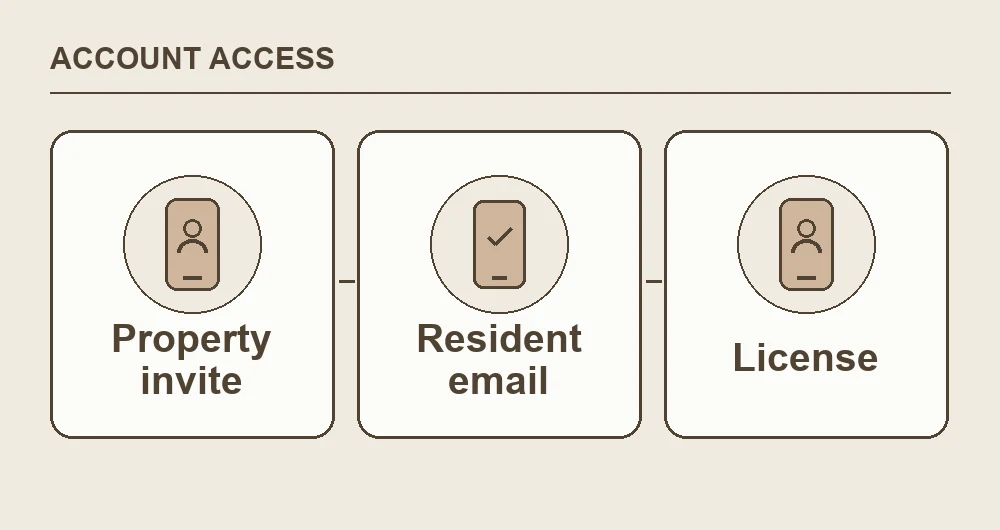
Property invite
Find the facility’s invitation and use it to obtain the Community app.
What you should seeThe invitation or Community Code can be accepted.
Resident email
Have the manager compare your sign-in email with the invited address.
What you should seeThe intended resident account is used.
If permitted, test sign-in using cellular data instead of Wi-Fi
If permitted, test sign-in using cellular data instead of Wi-Fi.
What you should seeA successful cellular test isolates a local-network issue.
Check 4
If the invitation and email match but access still fails, ask the manager to check or reassign the license.
What you should seeThe authorized resident entitlement is restored.
When to stop
- Residents should not change property-level access controls or attempt to reuse someone else’s Community Code.