
myQ Smart Garage Camera Flashing Blue and Green
Diagnose a myQ Smart Garage Camera flashing blue and green. Check garage Wi-Fi and the network the camera was set up to use.
Show me the steps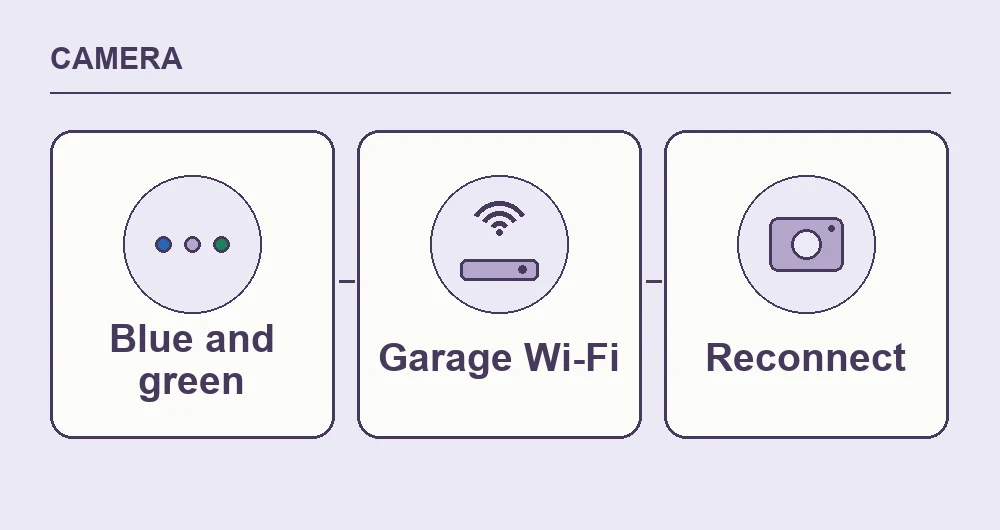
Symptoms
- Alternating/flashing blue and green after setup or disconnection.
Applies to
- App
- Standalone myQ Smart Garage Camera.
Before you start
- Identify the product model and observe the exact status before making changes.
- Use only equipment and accounts you own or are authorized to manage.
Why this can happen
- Camera cannot join its Wi-Fi network.
How to check and fix it
Check whether the network name, password or router changed
Check whether the network name, password or router changed.
What you should seeThe saved connection details are still valid.
At the camera location, check Wi-Fi signal on your phone
At the camera location, check Wi-Fi signal on your phone.
What you should seeCoverage is usable at the installation point.
Reconnect camera power and wait 40 seconds
Reconnect camera power and wait 40 seconds.
What you should seeSolid green indicates recovery.
Check 4
If still failing, ask the router provider to verify the camera-specific recommended settings.
What you should seeThe network path is checked without weakening security.
When to stop
- Do not factory-reset the router or disable security. Camera network requirements differ from hub requirements.