
myQ Smart Garage Camera Flashing Green
Check why a myQ Smart Garage Camera keeps flashing green. Verify the router’s internet connection and what changes when you reconnect.
Show me the steps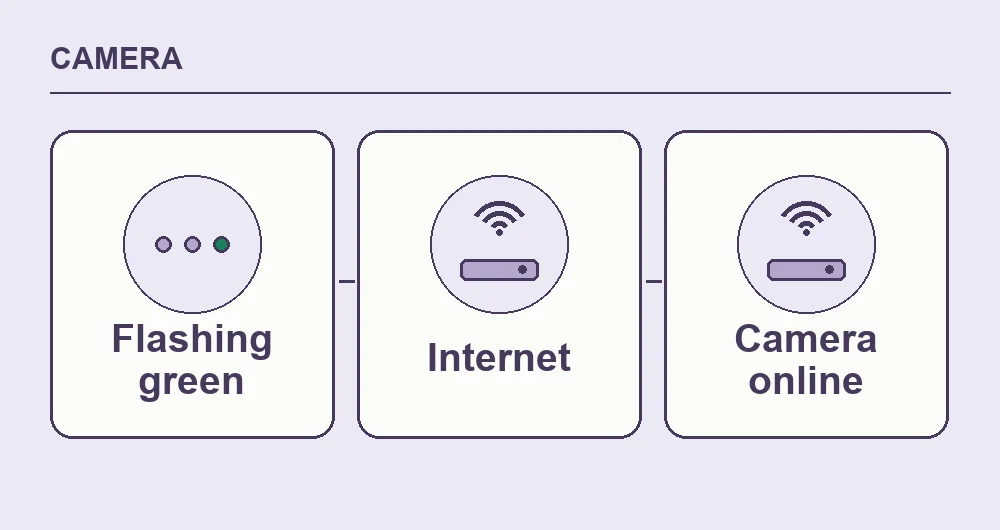
Symptoms
- Flashing green continues rather than becoming solid green.
Applies to
- App
- Standalone myQ Smart Garage Camera.
Before you start
- Identify the product model and observe the exact status before making changes.
- Use only equipment and accounts you own or are authorized to manage.
Why this can happen
- Connection to the myQ server has not completed.
How to check and fix it
Reconnect the camera power and wait 40 seconds
Reconnect the camera power and wait 40 seconds.
What you should seeThe LED becomes solid green.
Internet
If authorized, restart the router without resetting its configuration. Once internet is restored, reconnect camera power.
What you should seeThe camera reconnects after a few minutes.
Camera online
Have the ISP or router administrator verify the official camera network requirements. Provide the persistent LED pattern to myQ support.
What you should seeNetwork and device responsibility are separated.
When to stop
- Flashing green is not the same condition as solid green. Do not infer an account transfer is needed from this LED.