
The answer first
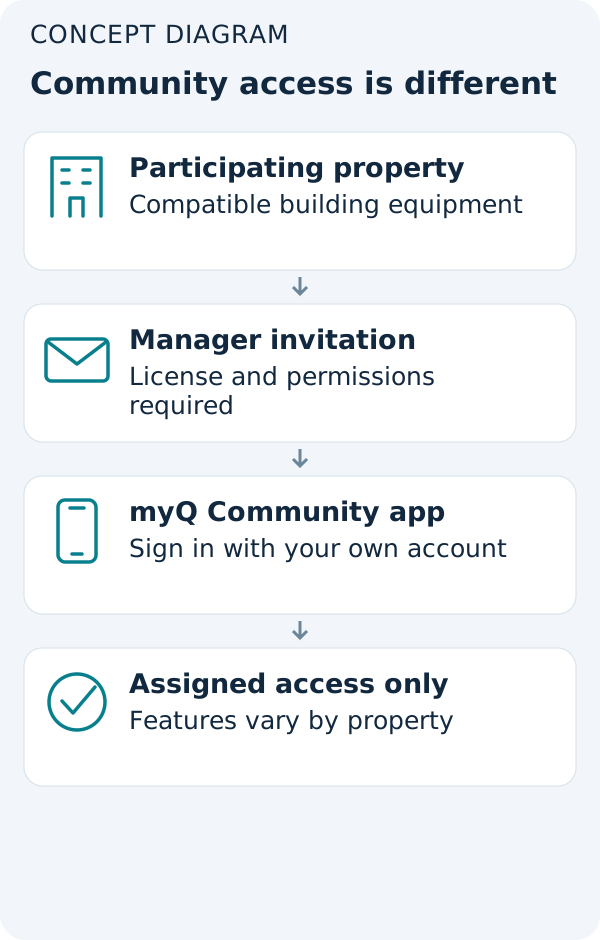
Residents can use Siri for connected community entrances, but access depends on the property—not simply on downloading an app.
Check these before you start
- Audience
- Residents of participating properties
- Hardware
- Property-installed compatible entrance system
- Account
- Manager-assigned individual license and email invitation
- Subscription
- Premium-feature eligibility must be confirmed with the property; pricing varies
- Region
- Confirm with the property; no worldwide availability claim
Invitation before integration
First confirm the intended entrance appears in your own Community account. Siri and other shortcuts depend on the features assigned to that access.
Open the Community download options →Ask four concrete questions
Which entrance can my account unlock? Is Siri included in our property plan? Does my individual license include that entrance? What backup entry method should I use if my phone is unavailable? Ask about the door you actually use, not just whether the building has myQ.
Do not borrow another resident’s account
The manager assigns a license and sends the invitation. Each household member needs a separate license; sharing one login across household devices is not the documented access model.
Android users have a different shortcut
The documented phone feature is Android Device Controls, not Android Auto. On supported layouts: open Device Control, choose Add Controls, select Community under other apps, choose authorized devices, and save. The support examples use older Pixel/Galaxy layouts, so names and placement can differ.
When a button is missing
First check that the entrance appears in the Community app. If the phone itself lacks access, adding a voice command is not the fix. Ask the property to verify your entitlement rather than attempting to discover or control an unassigned entrance.
Questions before you continue
Common questions
Can I download Community to get Siri for any residential opener?
Do not treat Community as a universal replacement for consumer myQ. Its access model starts with a participating property.
Where are the Siri tap-by-tap instructions?
Siri setup depends on your property’s feature entitlement and app version. Follow the instructions available for your property.